
Budgeting that respects your money and your privacy
BudgetFlow tracks your spending, bills and savings goals across every device — with no monthly subscription and no bank login. Your data stays on your device, not on someone’s server. Pay once, own it forever.
No Bank Connection | Made In Australia | One time fee, not subscription | No credit card required to start trial
Special Launch Price – $49 today,
will increase to $69 on August 30. Save $20 today
Why BudgetFlow is Different
Most budgeting apps want a subscription every month, forever. Many also ask you to hand over your bank login so they can read your accounts. You end up paying year after year, and trusting a third party with your most private information. Budgeting apps shouldn’t cost a fortune or hold your data hostage.
There is a simpler way
BudgetFlow gives you everything you need to manage your money, without the ongoing fees and without ever connecting your bank. BudgetFlow is a modern, easy-to-use budgeting app you can use on your phone, tablet, or computer. Built for people who want clarity, not complexity, it allows you to add your income and expenses, set budgets and goals, and see exactly where your money goes.
Because it is an installable app (PWA), you can add it to your home screen so it works just like a native app even when you are offline. Your data syncs securely across all your devices, so your budget is always up to date wherever you are.
Start your journey towards better personal budget and finance management with us today.
Our personal budget and finance features are designed to simplify tracking your expenses.
With the right personal budget and finance strategies, you can ensure financial stability.
Many users have found that using a personal budget and finance app has reduced their monthly expenses.
Features that sync across all your devices
Explore how our personal budget and finance tools can help you achieve your financial ambitions.
buy once and get started. no ongoing charges even when we make updates
By investing in your personal budget and finance management, you can create a more secure future.

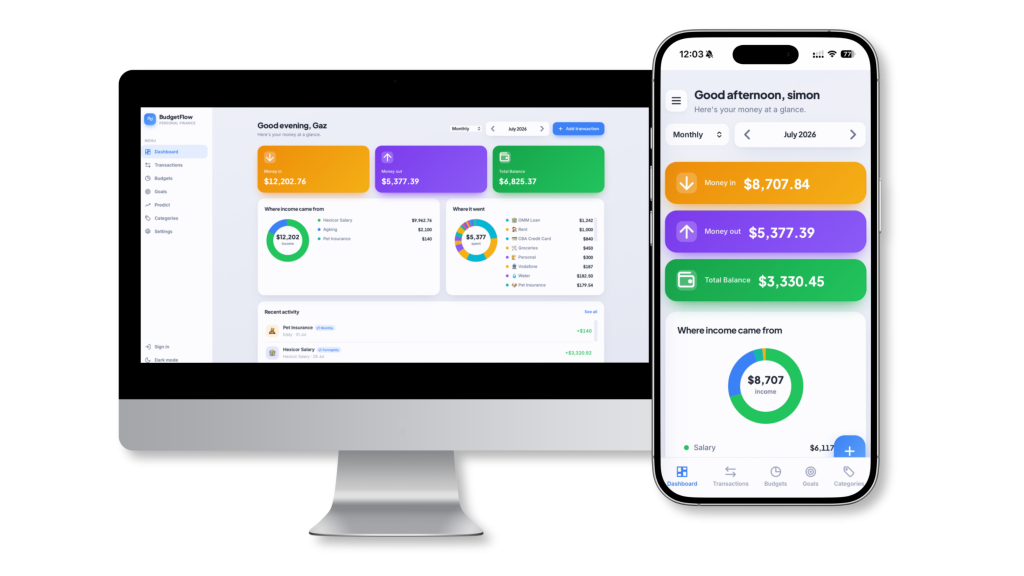
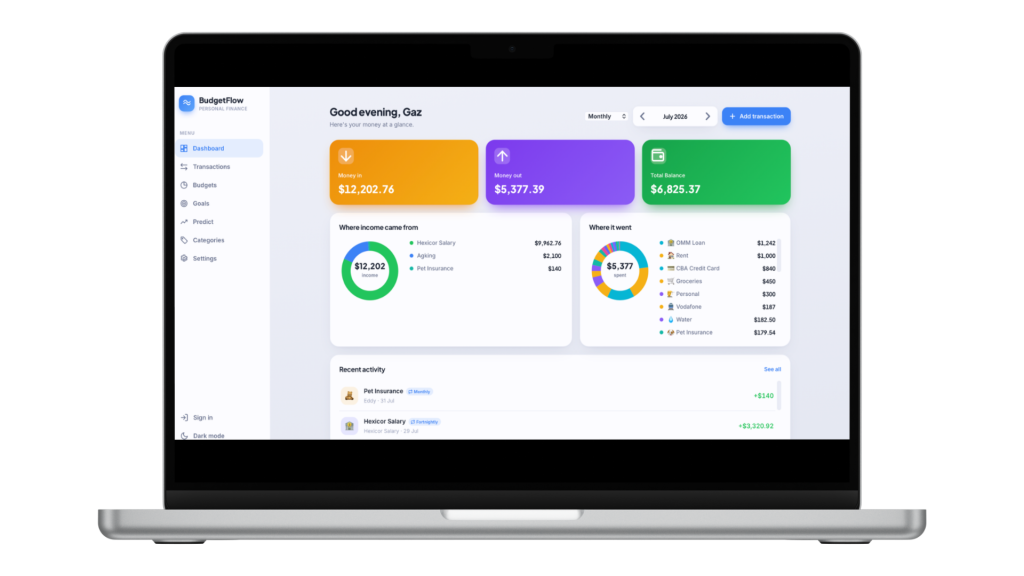
- Clean dashboard showing money in, money out, and total balance for the selected period
- Two visual breakdowns: where your income came from, and where your money went
- Recent activity feed
- Period selector (weekly, fortnightly, monthly, annual, or a custom date range) with step-back and step-forward navigation
- Add, edit, and delete income and expense transactions
- Assign each to a category, with an amount, a calendar date, and a description
- Search transactions, filter by type (money in or money out), filter by category, and sort newest or oldest first
- Its own independent period selector
- Set a transaction to repeat weekly, fortnightly, monthly, quarterly, or yearly
- Automatically projects the bill into future months
- Edit just one month’s amount without changing the whole series
- Skip a single month, or reset a changed month back to the series amount
- Set a monthly spending limit per category
- Visual progress bars that fill as you spend
- Adjusts to whichever period you are viewing
- Create savings goals with a target amount
- Track how close you are and contribute towards them
- Progress shown visually
- Forecast how your balance grows over time
- Adjustable monthly deposit (suggested from your recurring activity), forecast length, and interest rate
- Projection chart plus totals for deposited, interest, and growth
- Create, edit, and delete your own categories
- Separate expense and income categories
- Choose from 56 icons and a colour for each
- Shows how often each category is used
- Over 50 world currencies
- Light and dark mode
- Your name and preferences
- Export a backup to your computer any time, and import it back
- Load sample data to explore, or erase everything to start fresh
- Secure cloud sync across all your devices with one account
- Real-time updates between devices
- Works offline, syncing when you reconnect
- Sign in and out from the menu or settings
- Change your password inside the app, plus a forgot-password option
- Add to your home screen and use it like a native app
- Works offline
- Updates itself automatically, no reinstalling
BudgetFlow FAQ
Do I need to connect my bank account?
No, never. BudgetFlow does not ask for or store any bank login. You enter your income and expenses yourself, which keeps your information completely private.
Is it really a one-off payment?
Yes. You pay once and BudgetFlow is yours to keep, with no recurring fees.
Will it work on my phone?
Yes. BudgetFlow works on phones, tablets, and computers. You can add it to your home screen and use it just like an app from the store.
Does my budget sync across devices?
Yes. Sign in on each device with the same account and your budget stays up to date everywhere.
What if I need help?
Just reach out. Support is included, and I am happy to help you get set up.
How do I get access after I buy?
After your purchase you will receive your login details by email. Sign in, set your own password, and you are ready to go.